BG Remover✂ FreeBG BlurFreeCompressorFreeFiltersFreeCropperFreeQR CodeFreeAll Tools →30+
HomeToolsImage Resizer

Resize Images
to Any Size.

Set exact pixel dimensions, lock aspect ratio, or choose from social media presets — all instantly in your browser with zero uploads.

or drop a file, paste image or URL
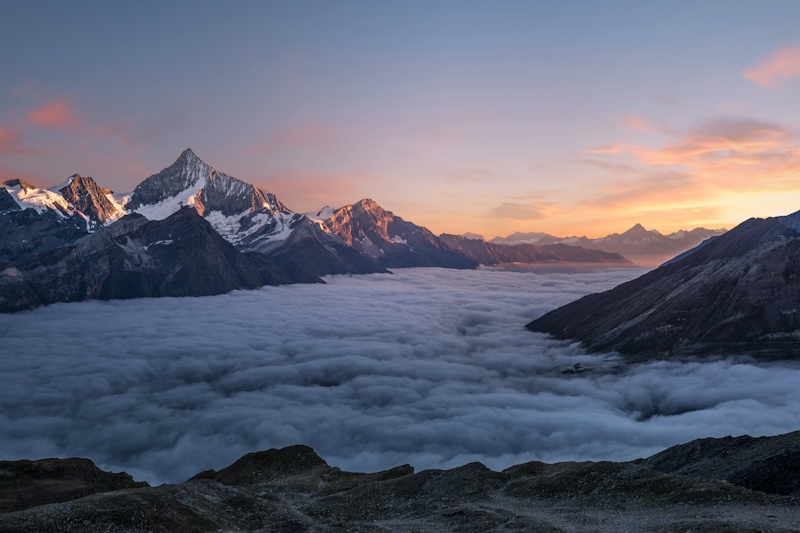
No image? Try one of these:
Resize demo
Original4000 × 3000 px
Resized to Instagram1080 × 1080 px

Perfect pixels, every platform.

From social media posts to print-ready artwork, resize for exactly the right canvas every time.

Social Media

Social Media

Get perfect dimensions for Instagram, Twitter, Facebook, LinkedIn, and beyond with one-click presets.
Web Performance

Web Performance

Shrink oversized product and hero images before upload to keep page speeds blazing fast.

Print & Design

Print & Design

Set artwork to exact print dimensions with the aspect ratio lock guarding your layout.

Email Campaigns

Email Campaigns

Standardize every header image to consistent pixel widths for professional, uniform email layouts.

Loved by designers & marketers.

Hear from creative professionals who resize images daily with Ellypto.

"I manage 6 client accounts and every platform wants a different image size. The preset buttons save me an hour every single week. Genuinely indispensable."

Sophie Carr
Sophie Carr
Social Media Manager

"Our product images were being uploaded at 6000px wide and crushing page speed scores. This tool became a mandatory stop in our image workflow."

Daniel Park
Daniel Park
E-commerce Developer

"The aspect ratio lock is perfect. I can resize artwork to client spec without having to manually recalculate dimensions every single time."

Amy Chen
Amy Chen
Graphic Designer
Features

Powerful Features

Everything you need for professional background removal, powered by advanced AI technology

Exact Pixel Control

Enter any custom width and height in pixels and resize with perfect precision.

Aspect Ratio Lock

Toggle the ratio lock to maintain proportions automatically when changing one dimension.

Social Media Presets

One-click presets for Instagram, Twitter, Facebook, HD, Full HD, and 4K dimensions.

Browser-Based

Everything runs in your browser. Your images are never uploaded to a server.

All Formats

Supports JPG, PNG, WebP, and more. Output preserves the original file format.

100% Free

No limits, no watermarks, no registration. Resize unlimited images for free.

How It Works

Simple 3-Step Process

Remove backgrounds from your images in seconds with our easy-to-use AI tool

1
Step 1

Upload Your Image

Drop your JPG, PNG, or WebP image onto the upload zone.

2
Step 2

Set Dimensions

Enter custom pixel dimensions or select a social media preset. Toggle the lock to control aspect ratio.

3
Step 3

Resize & Download

Click Resize and download your perfectly sized image instantly.

Frequently Asked Questions

Everything you need to know about Image Resizer

Yes! Enable the aspect ratio lock and the height automatically adjusts when you change the width, keeping proportions perfect.

We include HD (1280×720), Full HD (1920×1080), 4K (3840×2160), Instagram (1080×1080), Twitter (1200×675), and Facebook Cover (1200×630).

Upscaling a small image to larger dimensions may soften details. Downscaling is always clean and lossless.

Completely free with no limits, no watermarks, and no sign-up required.