BG Removerโœ‚ FreeBG BlurFreeCompressorFreeFiltersFreeCropperFreeQR CodeFreeAll Tools โ†’30+
Home/ย Tools/ย Image Filters

Apply Stunning
Filters Instantly.

Grayscale, sepia, vintage, vivid, cool, warm and more โ€” plus manual brightness, contrast, and saturation sliders. All in your browser.

or drag & drop ยท JPG, PNG, WebP

No image? Try one of these:
Original
Original
Grayscale
Grayscale
Sepia
Sepia
Vivid
Vivid

Every photo.
Any mood.

From dramatic black and white to sun-drenched warm tones โ€” create the exact look you want instantly.

Social Media

Social Media

Apply consistent filter styles across posts for a cohesive, professional feed aesthetic.

Old Photo Vibes

Old Photo Vibes

Add sepia and vintage tones to recreate the warm mood of classic film photography.
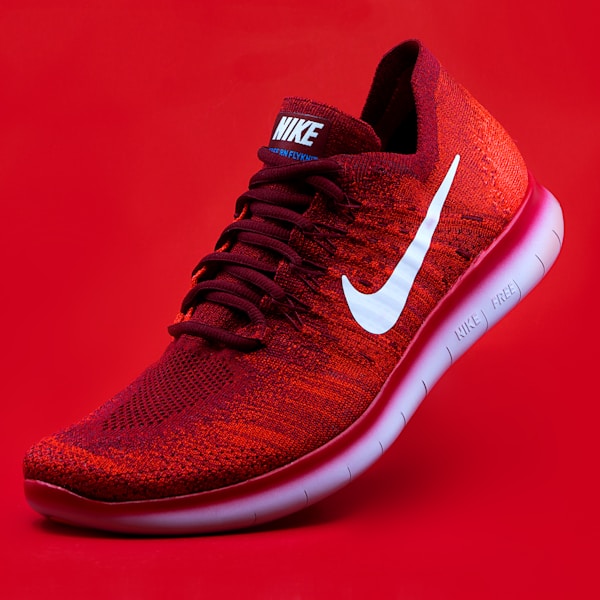
Product Photos

Product Photos

Brighten and boost contrast on product images to make them pop on white backgrounds.

Creative Art

Creative Art

Use dramatic invert or high-contrast effects for striking editorial and design work.

Loved by photographers & content creators.

Professionals who rely on fast, consistent image styling every day.

"I batch-edit my flat-lay photos with the Vivid preset and the brightness slider. My Instagram feed went from looking inconsistent to totally cohesive in one weekend."

Zara Nielsen
Zara Nielsen
Lifestyle Blogger

"The High Contrast preset is exactly what I need for product photos on Amazon. White background, punchy subject. It cuts our Lightroom editing time in half."

Tariq Hossain
Tariq Hossain
E-commerce Photographer

"I use the Invert filter to quickly create negative-style artwork for print projects. The live canvas preview means I can dial in the exact look without exporting."

Mia Chen
Mia Chen
Graphic Designer
Features

Powerful Features

Everything you need for professional background removal, powered by advanced AI technology

Dozens of Effects

Grayscale, sepia, invert, vintage, warm, cool, brighten, sharpen and many more filters.

Live Preview

See filter effects applied in real time on the canvas as you click.

Adjustable Intensity

Control strength of brightness, contrast, saturation and blur with sliders.

Browser-Based

Canvas API processing โ€” no server uploads, instant results.

PNG Export

Download filtered images as lossless PNG files.

100% Free

Free forever with no sign-up or watermarks.

How It Works

Simple 3-Step Process

Remove backgrounds from your images in seconds with our easy-to-use AI tool

1
Step 1

Upload Image

Drop your photo into the upload zone.

2
Step 2

Apply Filters

Click any filter or adjust sliders to fine-tune the effect.

3
Step 3

Download

Download the filtered image as a PNG.

Frequently Asked Questions

Everything you need to know about Image Filters

Yes โ€” you can stack filters such as brightness adjustment on top of a grayscale or sepia effect.

Minimal quality loss. We use native Canvas API which maintains high fidelity. Download as PNG for lossless output.

Yes, completely free with no limits.